Your calls and bookings at a glance – in your pocket
See who called, what they wanted and what the AI receptionist booked. All in one simple app that works on your phone, tablet and computer with the same login.
Built for busy days, not for IT people
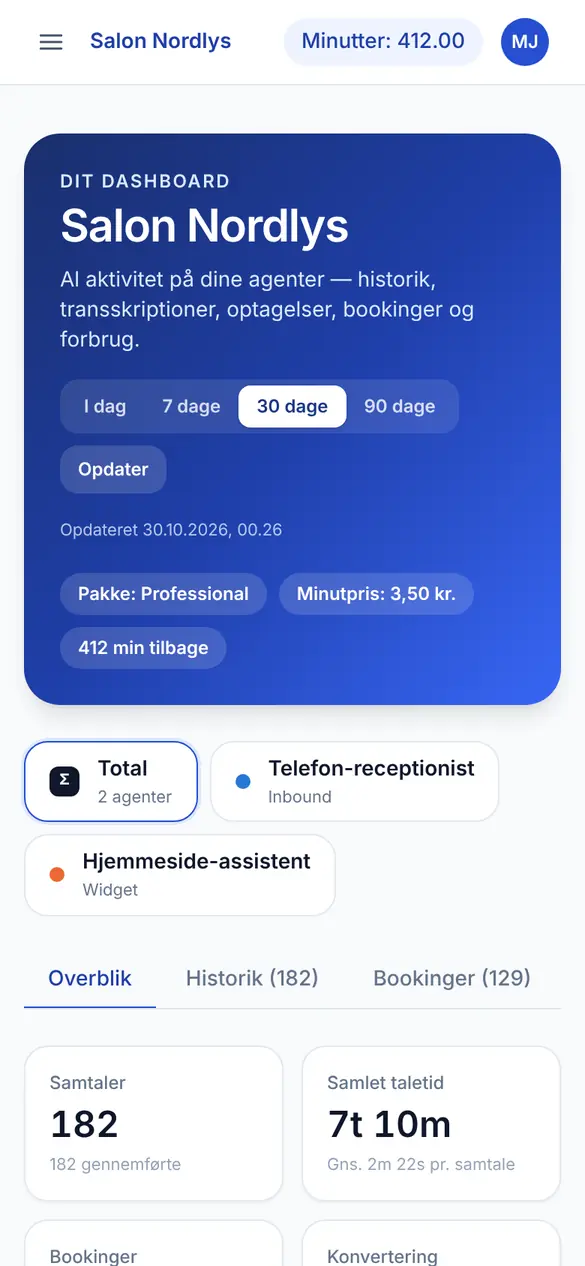
There's no new system to learn. Open the app between two customers and within seconds you see today's calls, new bookings and who to call back.
Stop losing customers and get your time back
The AI receptionist answers the phone and the chat. The app makes sure you always know what happened, so nothing slips through the cracks.
No customer lost to an unanswered call
Every call and chat is logged with name, number and a short summary. You see straight away who needs a call back.
Spend your time on customers, not the phone
No more listening to voicemail or writing down messages. Bookings, changes and cancellations are ready in the app, sorted and with the customer's name.
The overview in seconds
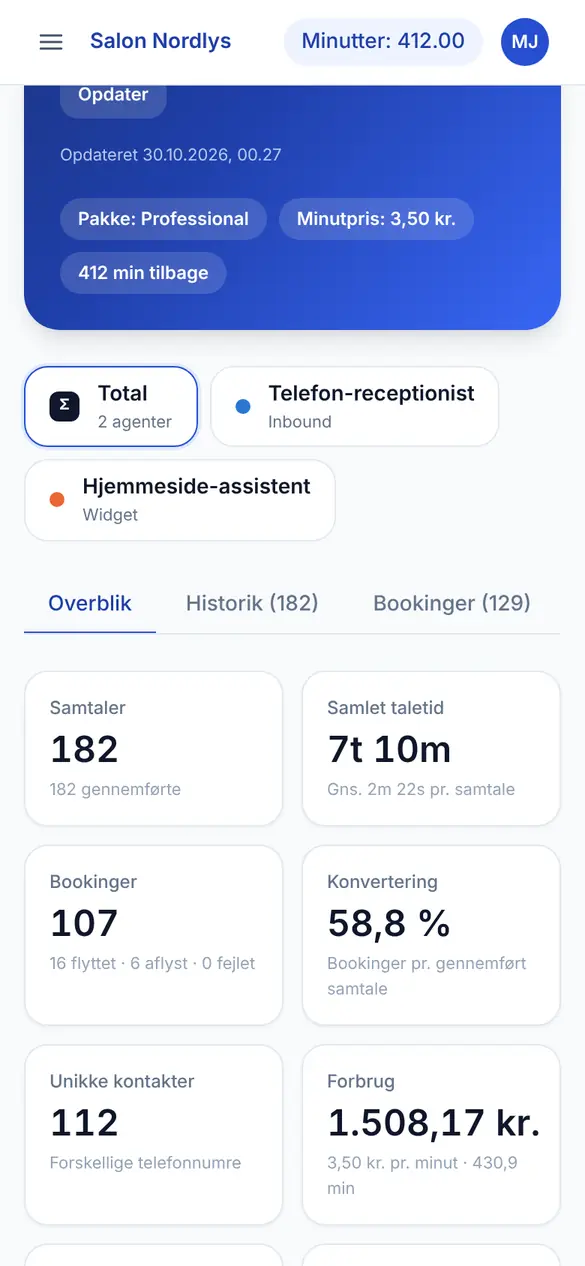
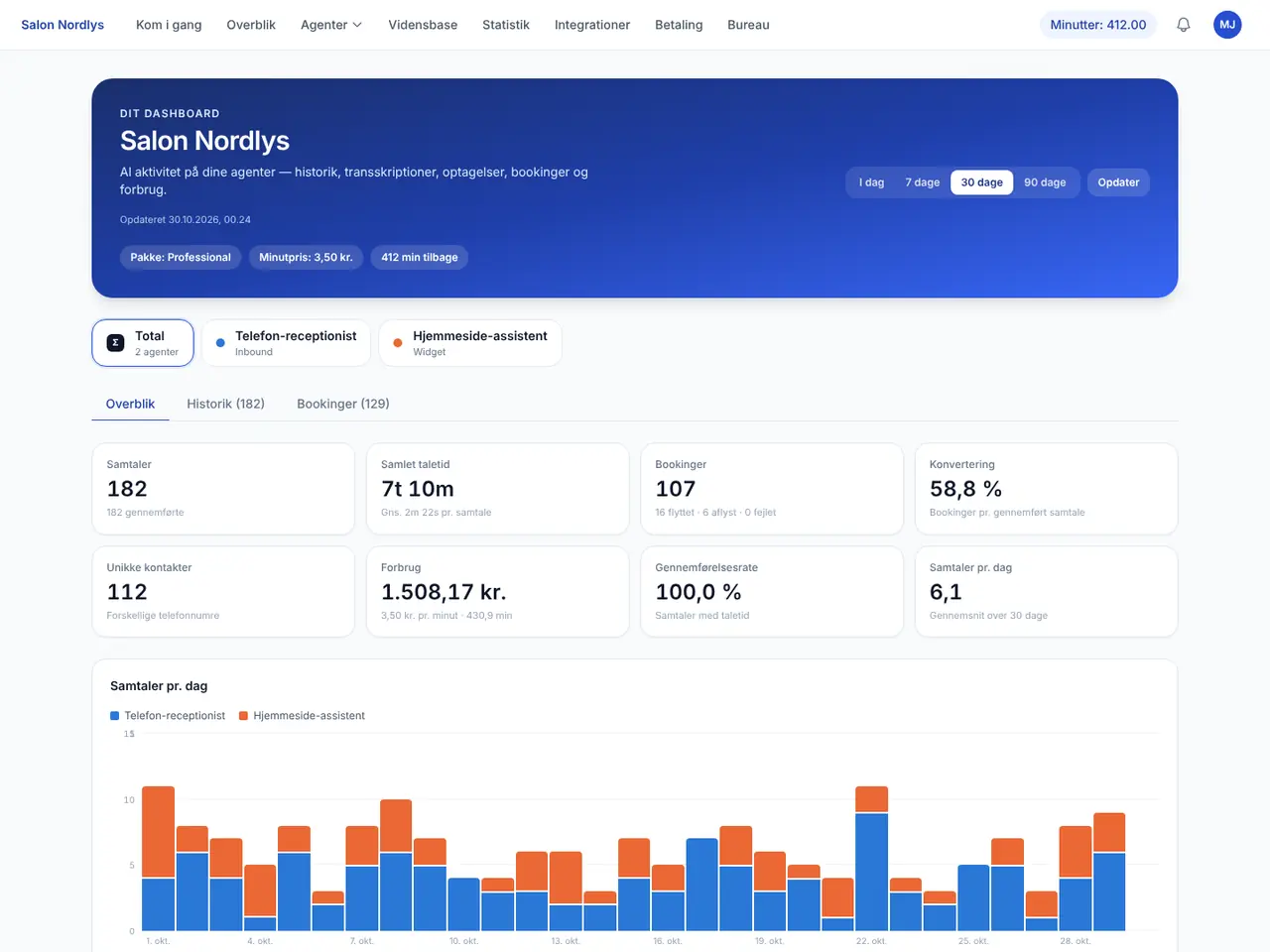
Conversations, bookings, conversion and usage per day, week or month, per agent or in total. You see right away whether it pays off.
Hear exactly what was said
Every conversation has a recording and a full transcript, so you can check an appointment or learn from a difficult call without asking the customer again.
The same overview on the big screen
At the office or the front desk, open the app in your browser. These are the screens you'll use most.
Overview: how is it going?
The start screen shows your key figures for the selected period and a chart of conversations per day, split between phone and website.
- Choose today, 7, 30 or 90 days
- See figures for one agent or all of them
- Usage in your currency and minutes left on your plan
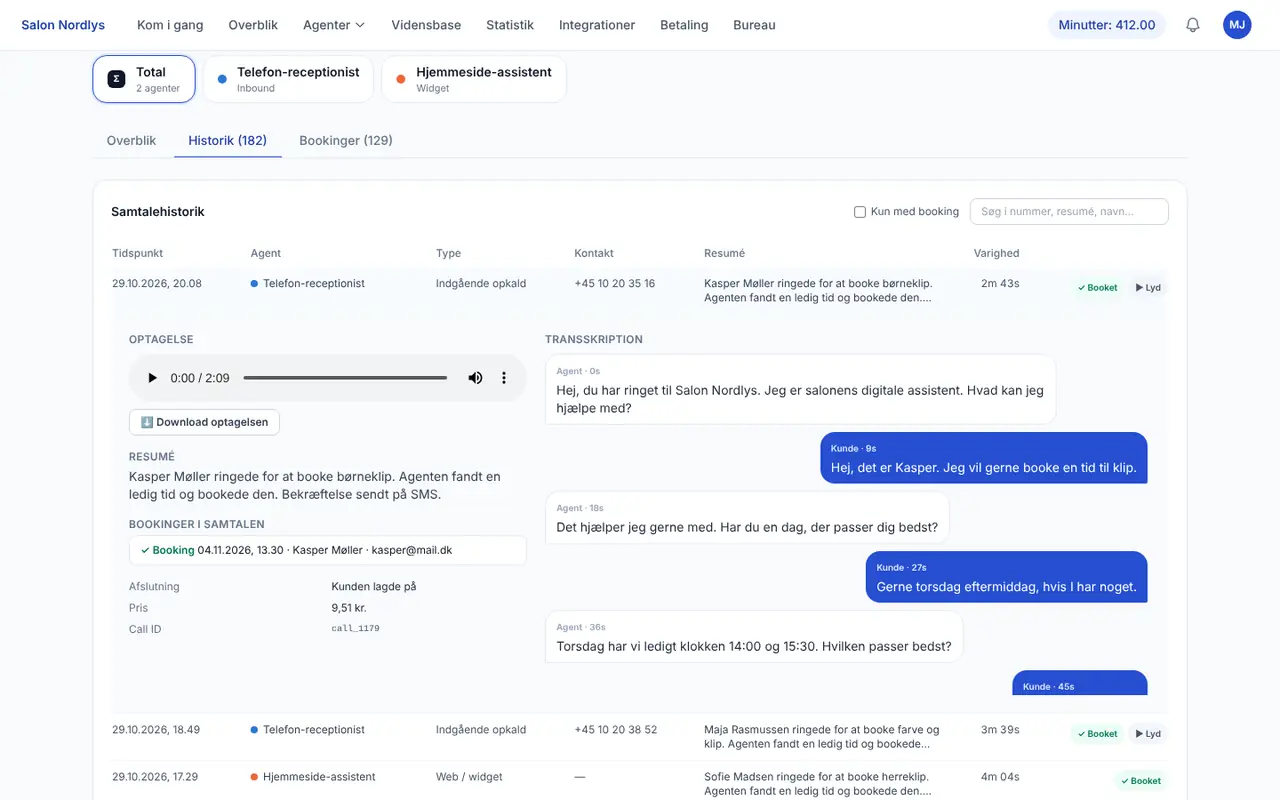
History: every conversation with recording and text
Click a conversation to get the summary, the recording, the bookings made and the whole conversation written out line by line.
- Search by number, name or topic
- Show only conversations that ended in a booking
- Download the recording if you need to keep it
Bookings: everything the AI put in the calendar
One list of new bookings, changes and cancellations with time, customer name and status.
- See straight away whether a booking succeeded
- Changes and cancellations are listed separately
- Bookings land in the calendar the agent is set up with
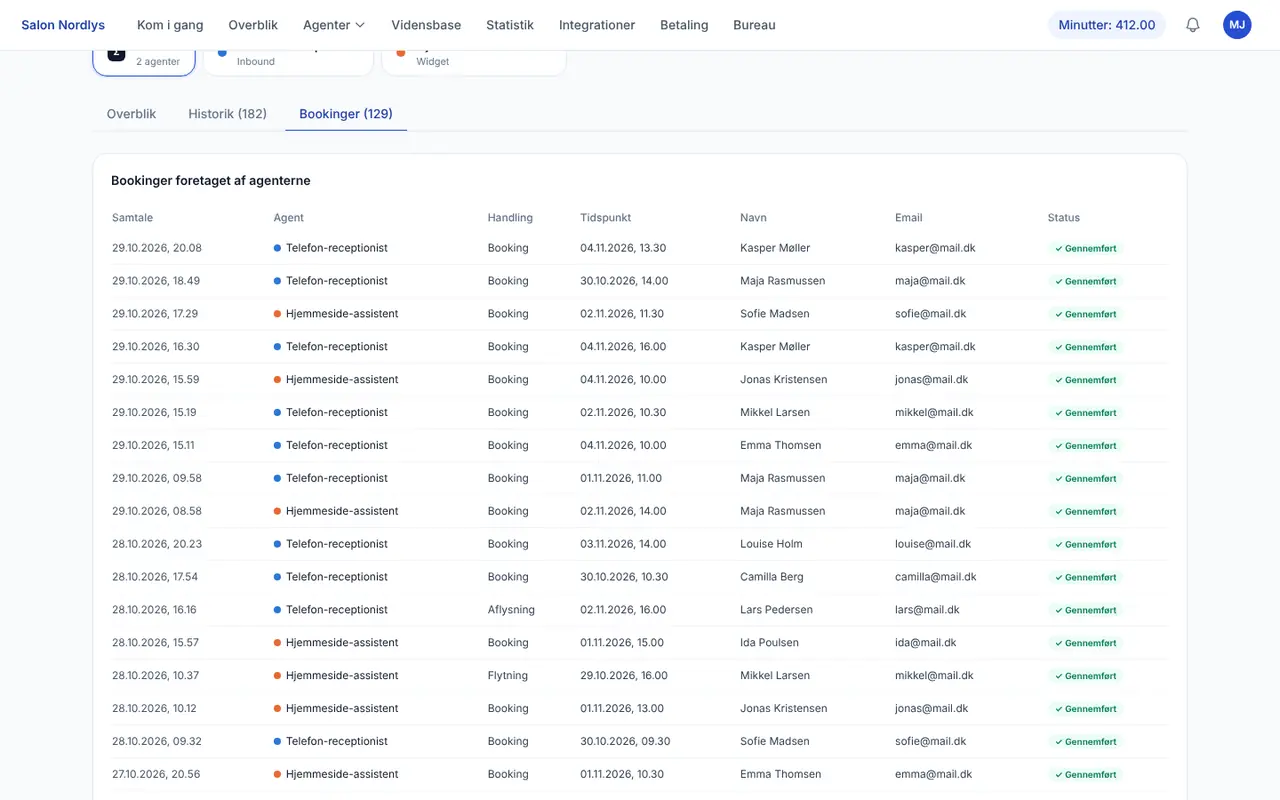
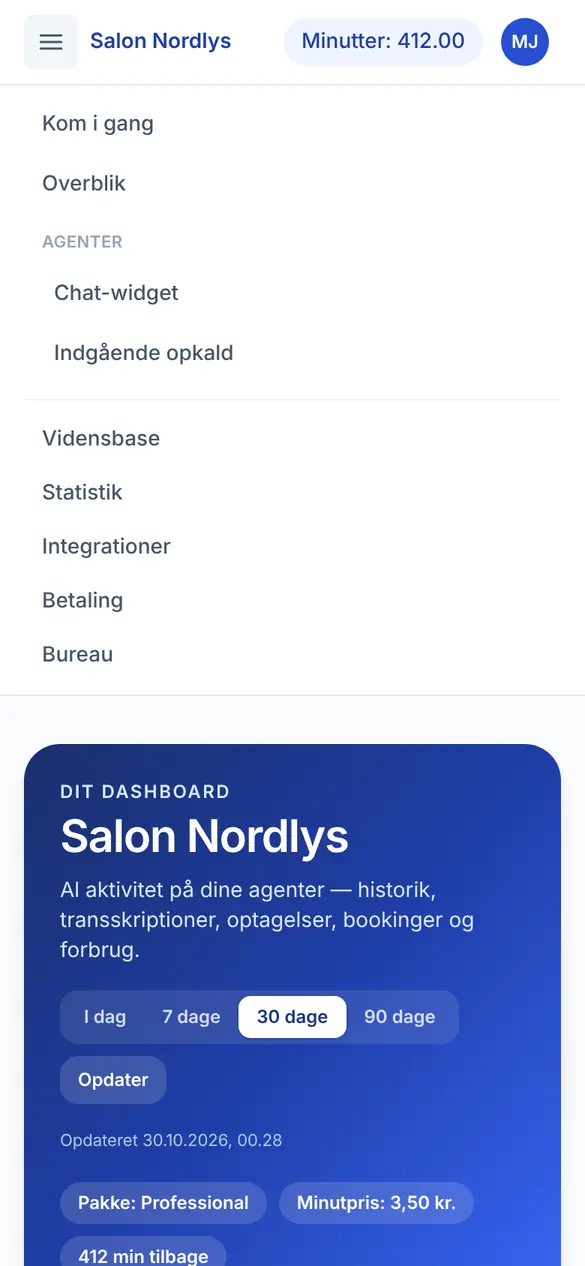
The screenshots are from the real app, using a fictional hair salon as an example. Names and phone numbers are made up.
Put the app on your home screen in a minute
The app runs in the browser, so there's nothing to download from the App Store or Google Play. Log in once and add it to your home screen, and it opens like any other app.
iPhone and iPad
In Safari:
- Open app.aibooking.dk and log in
- Tap the Share button
- Choose 'Add to Home Screen'
Android
In Chrome:
- Open app.aibooking.dk and log in
- Tap 'Get the app'
- Confirm the installation
Computer
In Chrome, Edge or Safari:
- Go to app.aibooking.dk
- Log in with your account
- Bookmark the page or install it
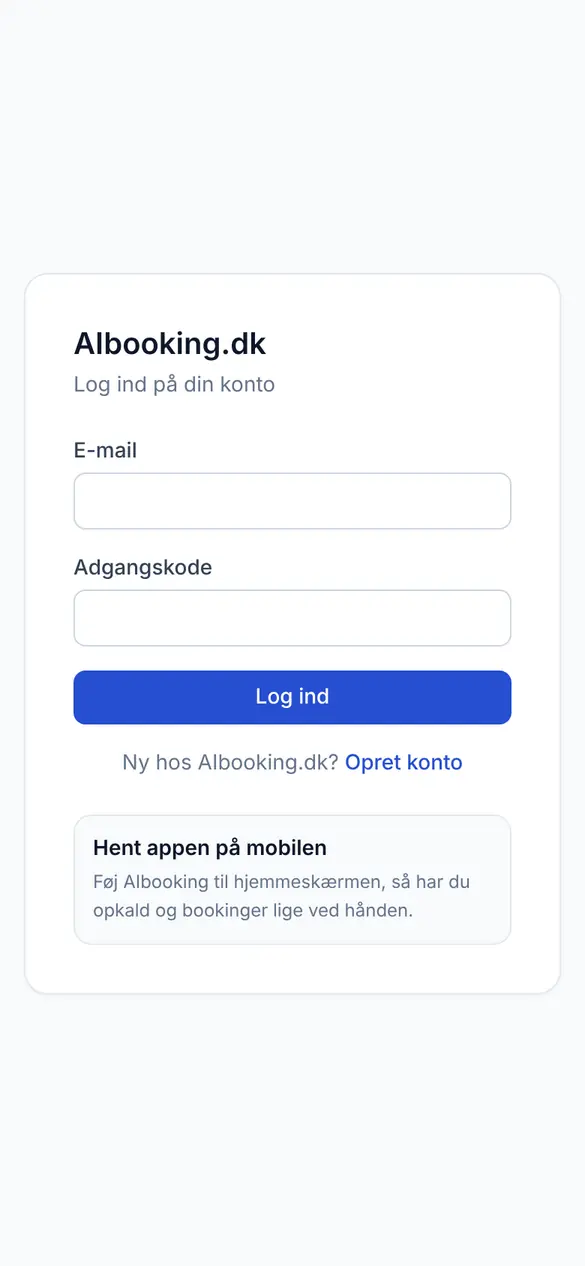
The app comes with your AI receptionist
The app is included in every plan and in the free trial. It shows the activity from both the AI answering service and the chatbot on your website.
Frequently Asked Questions
Try the app free for 7 days
Create an account and you're in the app straight away. No credit card and no commitment.
Create free accountManage AIbooking from your phone
Log in with your AIbooking account in the app and keep track of your AI receptionist wherever you are.
- The same login as on your computer
- See calls, conversations and bookings instantly
- Works on both iPhone and Android

Scan with your phone's camera to get the app